10 Mind-Blowing Things You Can Do with Antigravity 🚀

We've all seen AI coding assistants, but recently I've been pair-programming with Antigravity, and let me tell you—it's built different. It's not just about auto-completing a line of code; it's about agentic workflows that actually understand your entire project.
If you're wondering how to fit this into your daily dev flow, here are 10 concrete things I've actually done with Antigravity that saved me hours (if not days) of work.
1. Mass Migration: JS to TypeScript 🛡️
You know that feeling when you have a legacy Next.js project full of .js files and you just know you should potentialize it with TypeScript, but the effort seems massive?
I recently dropped Antigravity into a folder with dozens of components. I simply asked: "Can we make all these components and pages TSX?"
It didn't just rename the files. It:
- ** inferred interfaces** for my props (like finding
book.title,book.imageUrl, etc.). - Fixed type errors iteratively.
- Ran the build to verify everything actually compiled.
- Auto-corrected issues when the build failed.
It felt like having a senior engineer refactoring alongside me, but at 100x speed.
2. The Great Framework Upgrade (Next.js 12 -> 15) ⚡
Upgrading major versions is usually a nightmare of breaking changes. getStaticProps vs Server Components? pages vs app directory?
Antigravity shines here because it can read the docs (literally). You can point it to a migration guide or let it search the web, and it will systematically go through your pages, converting your old data fetching methods to the new App Router paradigms. It handles the tedious boilerplate so you can focus on the tricky logic.
3. Vulnerability Scouting 🕵️♂️
Security isn't a "set it and forget it" thing. I sometimes ask Antigravity: "Check for any known vulnerabilities in my dependencies or security anti-patterns in this authentication flow."
It can:
- Scan
package.jsonfor outdated packages. - Search the web for recent CVEs related to my stack.
- Analyze my code for common pitfalls (like hardcoded secrets or unsafe API endpoints).
4. UI/UX Stress Testing 🎨
"Does this look right on mobile?"
Instead of manually resizing my window a hundred times, I can ask Antigravity to verify UI responsiveness. While it won't "see" like a human, it can scan your Tailwind classes for mobile-first patterns (sm:, md:, lg:) and flag components that are missing responsive modifiers. It can even spin up a browser session to take screenshots or verify elements exist on the page.
5. "Fix This Build Error (For Real)" 🐛
We've all been there: The error message is cryptic, and the stack trace is a mile long.
When I paste a build error into Antigravity, it doesn't just guess. It:
- Analyzes the error.
- Explores the file system to find the culprit.
- Attempts a fix.
- Re-runs the build to confirm it works.
If the fix fails? It backtracks, tries another approach, and keeps going until it turns green. It’s tenacious!
6. Context-Aware Documentation 📚
I hate writing docs. You hate writing docs.
Antigravity loves it.
After we finished that TSX migration, I asked it to write a Walkthrough Artifact. It generated a beautiful Markdown file listing every component it touched, what changed, and how to verify it. Perfect for PR descriptions or onboarding new team members.
7. Recovering "Lost" Code 🕰️
True story: I once accidentally overwrote a complex form component with a generic placeholder. Panic mode, right?
I asked Antigravity to check the git history. It found the old version of the file, restored the specific lines I needed (like my custom Ghost newsletter integration), and merged it back into my new TypeScript file. Crisis averted in 30 seconds.
8. Research Assistant 🧠
"What's the best library for charts in React 19?"
Instead of Googling and reading 5 Medium articles from 2021, Antigravity searches the LIVE web. It gives me a summary of current options, compares their bundle sizes, and checks their recent npm activity. It filters the noise so I can make an architectural decision fast.
9. Creating "Vibe Coded" Demos ✨
I needed a "newsletter generator" page that felt modern and premium. I didn't want to write CSS from scratch.
I told Antigravity: "Make a design that feels premium, use glassmorphism, and wow the user."
It scaffolded the entire page, generated the CSS (using Tailwind best practices), and even hooked up the state management. It understands "vibes" surprisingly well for a machine!
10. The Ultimate Pair Programmer 🤝
Sometimes you just need to rubber duck. "Why is this useEffect firing twice?" or "How do I optimize this large list?"
Antigravity has the context of your entire workspace. It doesn't just give generic advice; it points to the specific lines in your LayoutWrapper.tsx that are causing re-renders.
Bonus: Generate thumbnails and images using Antigravity
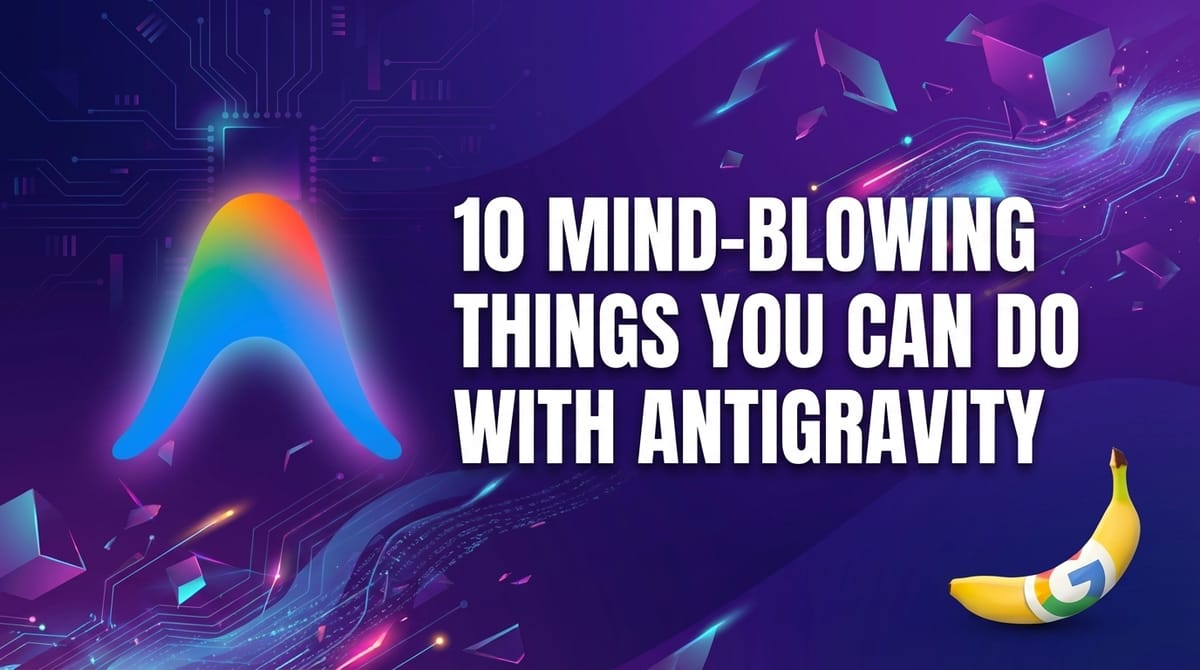
You can generate thumbnails and images using Google's Antigravity when using Gemini 3 Pro. See the prompt below:
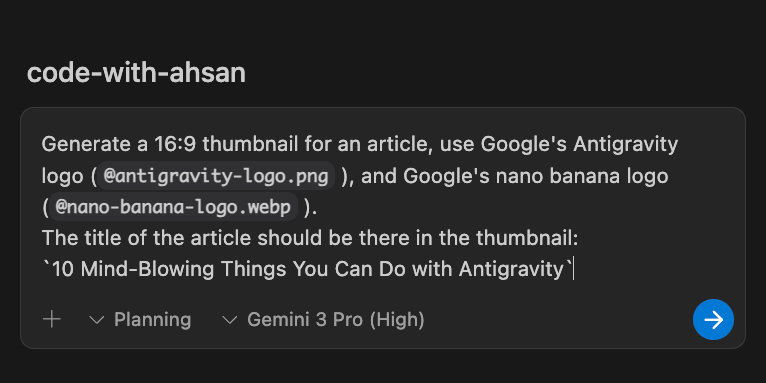
Want to see the result? 🙂 Well, scroll to the top. It is the thumbnail of this article. And of course, the prompt you give, the better thumbnail would be generated.
Antigravity isn't just a chatbot; it's a co-pilot that helps you code at the speed of thought.
Give it a spin on your next refactor. You might just find yourself having fun with legacy code again. 😉
Happy Coding!
~ Ahsan