Angular Zoneless: A Practical v22 Guide
Zoneless is the default in Angular v22. Here is what that means, how change detection works without Zone.js, how OnPush and the new Eager strategy fit in, and how to migrate an existing app without breaking it.

If you just generated a new Angular v22 app and noticed there is no zone.js in your polyfills, you are not looking at a bug. Zoneless is now the default. And if you have an older app where change detection "just worked" because Zone.js was quietly re-checking everything on every timer and click, the move to zoneless is the single biggest mental-model shift in modern Angular.
This guide answers the practical questions: what zoneless actually means, how change detection runs without Zone.js, where OnPush and the renamed Eager strategy fit, how to turn it on, and what breaks when you migrate an existing codebase (plus how to fix it). Every API and snippet here is checked against Angular v22.
Live demo: see change detection working with no Zone.js (signal counter, computed, async updates, and an effect) in the runnable Angular Zoneless demo. The demo app itself is zoneless, so it is the proof.
What "zoneless" means
For years, Angular shipped with zone.js, a library that monkey-patches browser APIs like setTimeout, setInterval, addEventListener, Promise, and fetch. The patch let Angular notice when any async task finished and then run a change detection pass across the component tree to see if anything needed re-rendering.
That was convenient. It was also wasteful. A single setTimeout firing in one corner of your app could trigger a check of every component, top to bottom, whether or not their data had changed. It is also the root cause of the dreaded ExpressionChangedAfterItHasBeenChecked error.
Zoneless removes zone.js entirely. There is no global "something happened, re-check everything" signal anymore. Instead, change detection is requested explicitly and locally: a component marks itself dirty, and Angular checks that component and its ancestors. Signals are the engine that drives this, which is why zoneless and Signals arrived together as a package.
Per the official docs, zoneless is the default in Angular v21 and later, so a freshly generated v22 app needs no extra setup to run without Zone.js.
How change detection works without Zone.js
In a zoneless app, change detection runs when a component is marked dirty. The three things that mark a component dirty are worth memorizing, because they are now the entire model:
- A signal read in the template changes. When a view reads
count()andcountupdates, Angular knows that view depends on it and schedules a check for that component and its ancestors. This is automatic, no extra code. - A template event fires. A
(click)or other bound event handler marks the host component dirty after it runs. ChangeDetectorRef.markForCheck()is called. Usually you do not call this by hand. TheAsyncPipecalls it for you when an Observable emits, andmarkForCheckis also what you reach for when you mutate non-signal state and need to tell Angular to re-check.
Notice what is not on that list: a bare setTimeout that reassigns a plain class property, an RxJS subscription that sets a non-signal field, or a third-party callback that mutates component state. Without Zone.js, none of those schedule change detection on their own. That is the crux of every zoneless migration.
OnPush is now the default
In Angular v22, ChangeDetectionStrategy.OnPush is the default change detection strategy for new components. The v22 release notes put it plainly: OnPush is now the default for new applications, it aligns with zoneless being the default, and you no longer need to write changeDetection: ChangeDetectionStrategy.OnPush in your components at all.
import { Component, signal } from '@angular/core';

// OnPush by default in v22 - no changeDetection line needed
@Component({
  selector: 'app-counter',
  template: `
    <p>Count: {{ count() }}</p>
    <button (click)="increment()">+1</button>
  `,
})
export class CounterComponent {
  count = signal(0);
  increment() {
    this.count.update((n) => n + 1);
  }
}
This component re-renders correctly with zero ceremony. The count signal is read in the template, so updating it marks the view dirty; the (click) handler also marks it dirty. No Zone.js, no markForCheck, no changeDetection strategy line.
The Default-to-Eager rename
The old ChangeDetectionStrategy.Default (the "check this component on every cycle" strategy) has been renamed to ChangeDetectionStrategy.Eager in v22. The behavior is the same; the name is clearer about what it does. You opt into it explicitly when a component genuinely relies on being checked eagerly, for example legacy code that mutates plain fields and never told Angular about it:
import { Component, ChangeDetectionStrategy } from '@angular/core';

@Component({
  selector: 'app-legacy-widget',
  template: `<section>{{ title }}</section>`,
  changeDetection: ChangeDetectionStrategy.Eager,
})
export class LegacyWidgetComponent {
  title = 'Loading...'; // plain field, mutated elsewhere without signals
}
Think of Eager as the escape hatch for code you have not yet moved to signals, not as something to reach for in new components.
Here is the whole model in one table:
| Trigger | Schedules change detection in zoneless? | Notes |
|---|---|---|
| Signal read in template updates | Yes | Automatic, the preferred path |
Template event binding (click) |
Yes | Host component marked dirty |
AsyncPipe emits |
Yes | Pipe calls markForCheck for you |
markForCheck() called manually |
Yes | For non-signal state you mutate yourself |
setTimeout / setInterval mutating a plain field |
No | Was Zone.js magic; now you must signal the change |
| Third-party callback mutating plain state | No | Wrap the result in a signal or call markForCheck |
How to enable zoneless
If you are starting a new v22 app, you are already zoneless and can skip this section.
To make an existing app zoneless, add the provider to your application config and remove zone.js. The provider comes from @angular/core:
import { ApplicationConfig, provideZonelessChangeDetection } from '@angular/core';
import { provideRouter } from '@angular/router';
import { appRoutes } from './app.routes';

export const appConfig: ApplicationConfig = {
  providers: [
    provideZonelessChangeDetection(),
    provideRouter(appRoutes),
  ],
};
If you bootstrap directly:
import { bootstrapApplication } from '@angular/platform-browser';
import { provideZonelessChangeDetection } from '@angular/core';

bootstrapApplication(AppComponent, {
  providers: [provideZonelessChangeDetection()],
});
Then remove Zone.js from the build. In angular.json, delete "zone.js" from the polyfills array under both your build and test targets (remove "zone.js/testing" from test). If you use an explicit polyfills.ts, delete the import 'zone.js'; and import 'zone.js/testing'; lines. Finally, uninstall the package:
npm uninstall zone.js
For existing apps, the Angular team also ships a migration to help with the change-detection side of the move. The Angular MCP server exposes an onpush_zoneless_migration tool, and ng update walks you through the framework upgrade. The migration can set components that depend on legacy behavior to ChangeDetectionStrategy.Eager so they keep working while you incrementally move them to signals.
Migrating an existing app: what breaks and how to fix it
The migration is mechanical for most apps and surprising for a few. Here is what to watch for.
1. State mutated outside Angular's awareness
Anything that updates the UI through a plain class field, driven by an async callback, will stop updating once Zone.js is gone. The classic case is a timer:
// Before: relied on Zone.js to catch the setInterval tick
export class ClockComponent {
  now = new Date();
  constructor() {
    setInterval(() => {
      this.now = new Date(); // plain field, no re-render in zoneless
    }, 1000);
  }
}
The fix is to make the state a signal. Writing to it schedules the re-render automatically:
import { Component, signal } from '@angular/core';

@Component({
  selector: 'app-clock',
  template: `<p>{{ now() }}</p>`,
})
export class ClockComponent {
  now = signal(new Date());
  constructor() {
    setInterval(() => this.now.set(new Date()), 1000);
  }
}
2. RxJS subscriptions that set non-signal fields
If you .subscribe() and assign the result to a plain property, the view will not update. You have two good options. Prefer using the AsyncPipe (it calls markForCheck for you), or convert the stream to a signal with toSignal so reads in the template are tracked. If you truly must keep a manual subscription that writes to a field, inject ChangeDetectorRef and call markForCheck() in the subscriber. Moving streams to signals is the cleaner long-term answer; we walk through that end to end in the RxJS to Signals migration guide.
3. Third-party libraries that mutate state in callbacks
Charting libraries, map SDKs, drag-and-drop kits, and anything with imperative callbacks often assumed Zone.js was patching their async work. When such a callback updates component state, wrap the update in a signal set, or call markForCheck() after it. If the library needs to interact with the DOM after Angular renders, use afterNextRender (for a one-time post-render hook) or afterEveryRender (for conditions that span multiple render rounds). Both are injection-context functions from @angular/core and they replace older Zone-specific hooks like NgZone.onMicrotaskEmpty.
4. SSR and async work during render
For server-side rendering, Zone.js used to tell Angular when async tasks finished so it could serialize a stable page. In zoneless SSR, use the PendingTasks service to register async work so Angular waits for it before serializing. You wrap the async operation with taskService.run(...), and Angular holds off until it resolves.
How to verify the migration
Run the app and click through the flows that previously depended on async re-checks: timers, polling, websocket updates, modals opened from library callbacks, and anything that updates after a network response. If a value is stale on screen but correct in the data, you have found a spot that needs a signal, the AsyncPipe, or a markForCheck. Your end-to-end tests are the best safety net here, because they exercise the real rendering path rather than asserting on a property value in isolation.
Performance: why this is worth doing
The win is fewer, smaller change detection passes. With Zone.js, a single async event could trigger a full top-to-bottom traversal of the component tree. In a zoneless, OnPush, signal-driven app, an update marks only the components that actually read the changed signal, and Angular checks just those subtrees. You also drop the CPU cost of zone.js patching browser APIs on every call, and you shed the polyfill from your bundle.
The effect compounds in large apps with deep trees and chatty async work, exactly the apps where Zone.js hurt the most. We go deeper on profiling and signal-driven rendering performance in chapter 9 of the book. If you want a tour of everything else that landed alongside this, see What's New in Angular v22.
Testing without Zone.js
Tests change too, and mostly for the better. In TestBed, add provideZonelessChangeDetection() to the providers, then await rendering instead of relying on zone-based helpers:
import { TestBed } from '@angular/core/testing';
import { provideZonelessChangeDetection } from '@angular/core';
import { CounterComponent } from './counter.component';

it('renders the incremented count', async () => {
  TestBed.configureTestingModule({
    providers: [provideZonelessChangeDetection()],
  });

  const fixture = TestBed.createComponent(CounterComponent);
  await fixture.whenStable();

  expect(fixture.nativeElement.textContent).toContain('Count: 0');
});
The practical difference: lean on await fixture.whenStable() to let pending work and rendering settle, rather than fakeAsync/tick patterns that exist to manipulate Zone's task queue. There is no zone to fake when there is no zone.
Should you migrate now? An honest take
For new projects: there is no decision to make. You are zoneless by default, build with signals, and enjoy the performance for free.
For existing apps, be pragmatic:
- Small to mid-size app with few third-party imperative libraries? Migrate. The schematic plus a focused pass over timers and manual subscriptions usually gets you there in a day or two.
- Large app with heavy RxJS or NgRx and several DOM-mutating libraries? Stage it. Move to v22, keep components that fight you on
ChangeDetectionStrategy.Eager, and convert state to signals incrementally. The NgRx to Signals migration guide covers the state-layer half of that work. - App that leans on a library you cannot easily change? Test that library's flows carefully before committing. This is where most zoneless surprises live.
A few pitfalls to keep in mind regardless of size:
- Do not sprinkle
markForCheck()everywhere to paper over stale UI. Each one is a hint that some state should be a signal. - Do not reach for
ChangeDetectionStrategy.Eagerin new components. It is a compatibility bridge, not a default. - Watch for
setTimeout/setIntervalcallbacks that update plain fields. They are the most common thing to break, and the easiest to fix once you spot the pattern. - If you use Signal Forms, they fit this model naturally since form state is signal-based; see the Angular Signal Forms tutorial.
FAQ
Is zoneless the default in Angular v22?
Yes. Zoneless is the default from Angular v21 onward, so a new v22 app ships without zone.js and you do not need to enable anything. Existing apps opt in by adding provideZonelessChangeDetection() and removing zone.js.
What triggers change detection in a zoneless Angular app?
Three things mark a component dirty and schedule a check: a signal read in the template updating, a template event binding firing (like (click)), and a markForCheck() call (which the AsyncPipe makes for you on emission).
Do I still need OnPush if I am zoneless?
OnPush is already the default for new components in v22, so there is nothing to add. It pairs with zoneless to ensure Angular only checks components that have been marked dirty, instead of the whole tree.
What is ChangeDetectionStrategy.Eager?
It is the renamed ChangeDetectionStrategy.Default from earlier versions. The behavior (check this component on every cycle) is unchanged. Use it as a compatibility escape hatch for components that rely on legacy, non-signal change detection, not in new code.
What breaks when I go zoneless?
Anything that updated the UI by mutating a plain class field from an async callback that Zone.js used to catch: setTimeout/setInterval updates, manual RxJS subscriptions that set fields, and third-party library callbacks. Fix them by moving state to signals, using the AsyncPipe/toSignal, or calling markForCheck().
How do I test a zoneless component?
Add provideZonelessChangeDetection() to your TestBed providers and use await fixture.whenStable() to let rendering settle, instead of fakeAsync/tick, which exist to drive Zone's task queue.
Go deeper
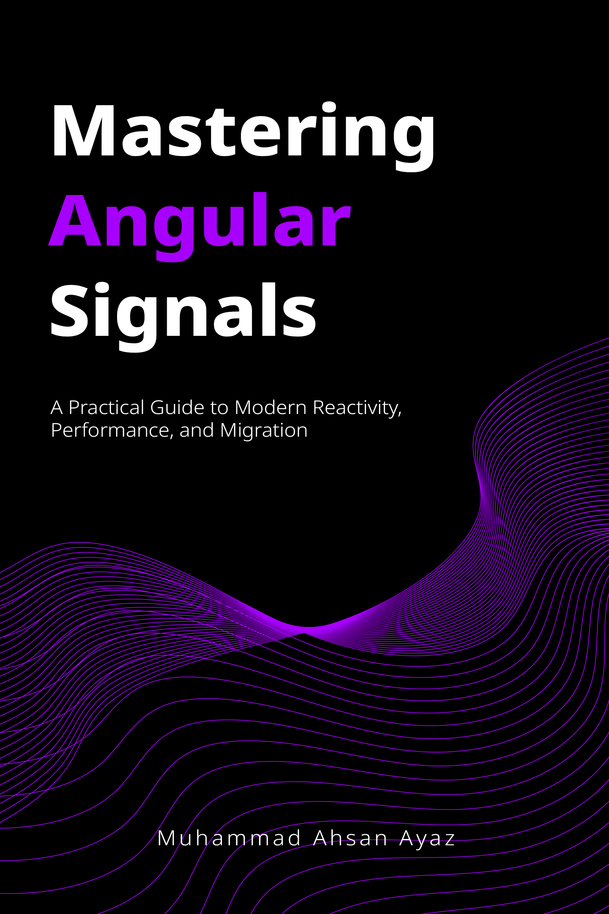
Zoneless, OnPush, and signal-driven change detection are the performance backbone of modern Angular, and getting the mental model right is what makes the rest of Signals click. Mastering Angular Signals covers the full picture: chapter 1 lays out the reactive landscape and why Angular moved to zoneless with signals at the center, and chapter 9 goes deep on change detection, the OnPush-plus-zoneless synergy, and profiling and optimizing real apps. It is fully updated for Angular v22, with a foreword from the Angular team.
Read it on Leanpub (the author's preferred format, PDF and EPUB), or grab the Kindle and paperback editions on Amazon. Full details are on the book page.
Mastering Angular Signals [Book] - 4.4 stars ⭐ on Amazon👇
 Muhammad Ahsan Ayaz