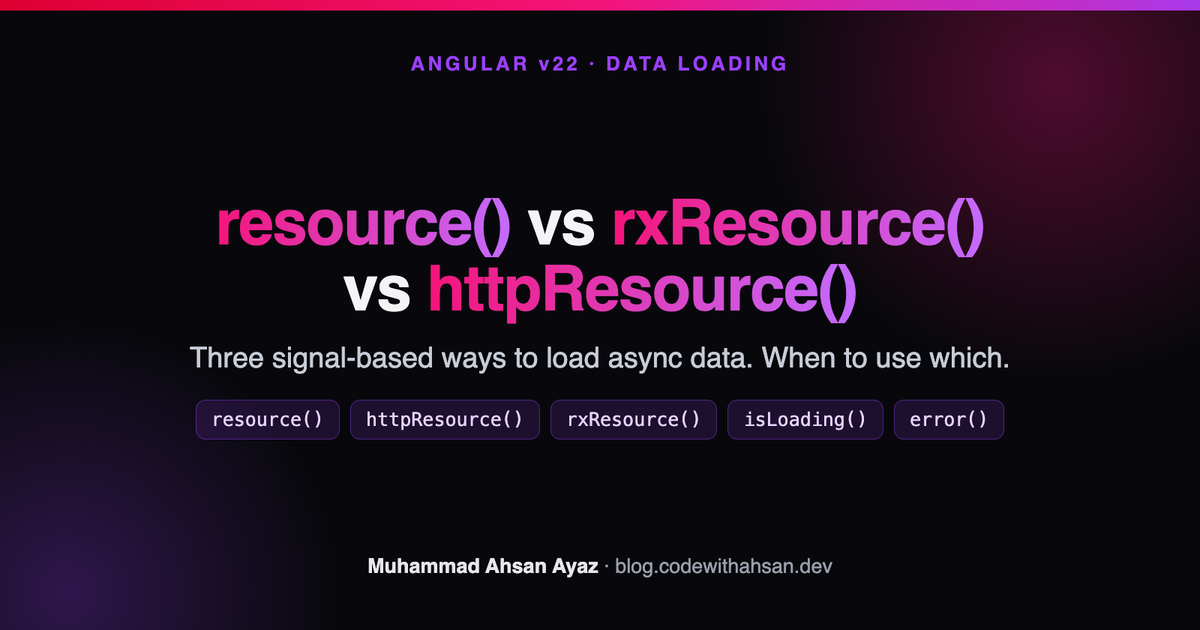
resource() vs rxResource() vs httpResource() in Angular v22
Angular v22 ships three signal-based ways to load async data: resource(), rxResource(), and httpResource(). Here is what each one does, when to reach for which, and copy-paste v22 examples for loading, errors, and reactive requests.

Live demo: see all three APIs loading the same weather data side by side (resource() on demand, httpResource() re-fetching on a toggle, rxResource() bridging an RxJS service) in the runnable resource APIs demo. It runs on Angular v22, so it is the proof the snippets work.
If you have ever wired a loading spinner, an error banner, and a "reload" button around a single HTTP call, you know how much ceremony that takes: a loading boolean, an error field, a subscription to clean up, and a mental note to set every flag back. Angular's resource family removes that ceremony. You describe how to fetch the data, and Angular hands you signals for the value, the loading state, and the error.
The catch is that v22 ships three of these APIs, and the names are close enough to be confusing: resource(), rxResource(), and httpResource(). This guide explains what each one does, the one-line rule for picking between them, and gives you copy-paste v22 code for each. Every snippet is checked against Angular v22.
The short answer: which one do I use?
httpResource()when you are doing a plain HTTP request and want the least code. It uses Angular'sHttpClientunder the hood, so it picks up your interceptors, and you give it a URL. Reach for this first.resource()when your data source is not HTTP, or not promise-friendly out of the box: reading fromIndexedDB, a WebSocket handshake, the File System Access API, a third-party SDK that returns aPromise, or any custom async loader.rxResource()when your data source is already anObservable, for example a service method that returnsHttpClientcalls with RxJS operators, or a stream you want to keep as a stream.
All three give you the same signal-based surface: value(), isLoading(), error(), status(), and a reload() method. They differ only in how you tell them to fetch.
What is a resource in Angular?
A resource is a signal-based wrapper around an asynchronous operation. Instead of manually tracking whether a request is in flight, succeeded, or failed, you call resource() (or one of its siblings) with a loader, and you get back an object whose value, isLoading, and error are all signals. Read them in a template and the view updates automatically as the request progresses.
A resource also reacts to its inputs. If you give it a reactive request (a function that reads other signals), the resource re-runs its loader whenever those signals change, and it aborts the previous request for you. That is the part that replaces a tangle of switchMap and subscription bookkeeping.
resource(): the general-purpose loader
Use resource() from @angular/core when you have a custom async loader. The loader is an async function that receives an abortSignal you can forward to fetch so in-flight requests get cancelled.
import { Component, resource } from '@angular/core';

interface WeatherData {
  temperature: number;
  condition: string;
  icon: string;
}

@Component({
  selector: 'app-weather-info',
  template: `
    <button (click)="weatherResource.reload()">Get Weather Info</button>

    @if (weatherResource.isLoading()) {
      <span class="spinner"></span>
    } @else if (weatherResource.value(); as weather) {
      <img [src]="weather.icon" alt="weather icon" />
      <p>Temperature: {{ weather.temperature }}</p>
      <p>Condition: {{ weather.condition }}</p>
    }
  `,
})
export class WeatherInfoComponent {
  weatherResource = resource<WeatherData, string>({
    loader: async ({ abortSignal }) => {
      const response = await fetch('assets/weather.json', {
        signal: abortSignal,
      });
      if (!response.ok) {
        throw new Error('Could not fetch data');
      }
      return (await response.json()) as WeatherData;
    },
  });
}
That is the whole pattern. No loading boolean, no subscription, no manual error field. weatherResource.isLoading() is true while the loader runs, weatherResource.value() holds the result, and throwing inside the loader populates weatherResource.error().
Reactive params: re-fetch when a signal changes
The real power shows up when the request depends on a signal. Pass a params function. Whenever a signal read inside it changes, the loader re-runs, and the loader receives that value as params.
import { Component, resource, signal } from '@angular/core';

type WeatherRequestState = 'idle' | 'ready';

export class WeatherInfoComponent {
  weatherRequestState = signal<WeatherRequestState>('idle');

  weatherResource = resource<WeatherData, WeatherRequestState | undefined>({
    params: () => {
      // Return undefined to skip loading entirely.
      if (this.weatherRequestState() === 'idle') {
        return undefined;
      }
      return this.weatherRequestState();
    },
    loader: async ({ abortSignal, params }) => {
      const response = await fetch('assets/weather.json', {
        signal: abortSignal,
      });
      if (!response.ok) {
        throw new Error('Could not fetch data');
      }
      return (await response.json()) as WeatherData;
    },
  });

  getWeatherInfo() {
    this.weatherRequestState.set('ready');
  }
}
Two things to note. First, returning undefined from params tells the resource not to load at all, which is how you model an "on demand" request that should not fire on first render. Second, when params changes while a load is in flight, the resource aborts the previous request through abortSignal, so you never race two responses.
httpResource(): the least-code path for HTTP
If your async work is just an HTTP request, httpResource() from @angular/common/http is the shortest path. You give it a function that returns a URL, and it uses HttpClient, so your interceptors, base URLs, and auth headers all apply.
import { httpResource } from '@angular/common/http';
import { Component, signal } from '@angular/core';

interface WeatherData {
  temperature: number;
  condition: string;
  icon: string;
}

export class WeatherInfoComponent {
  isMultiCityMode = signal<boolean>(false);

  weatherResource = httpResource<WeatherData>(() => {
    // Reads a signal, so it re-fetches when the toggle changes.
    return this.isMultiCityMode()
      ? 'assets/weather-multi.json'
      : 'assets/weather.json';
  });
}
Because the URL function reads isMultiCityMode(), flipping the toggle re-fetches automatically. There is no params plus loader split here: the request function is both. You can also pass a second options argument with a parse function to validate or transform the response before it lands in value().
weatherResource = httpResource<WeatherData>(
  () => 'assets/weather.json',
  {
    parse: (response) => {
      // Throw here to surface a validation error in error().
      return response as WeatherData;
    },
  }
);
parse is the right place for runtime validation (for example a Zod schema). If it throws, the thrown error shows up in weatherResource.error() just like a network failure.
rxResource(): when your source is an Observable
If you already have an Observable, for instance a service that returns HttpClient calls piped through RxJS operators, use rxResource() from @angular/core/rxjs-interop. In v22 the option is named stream, and it returns the Observable that produces the value.
import { Component, inject } from '@angular/core';
import { rxResource } from '@angular/core/rxjs-interop';
import { catchError } from 'rxjs';
import { WeatherService } from './weather.service';

export class WeatherInfoComponent {
  weatherService = inject(WeatherService);

  weatherResource = rxResource<WeatherData, string>({
    stream: () =>
      this.weatherService.getWeather().pipe(
        catchError(() => {
          throw new Error('Could not fetch data');
        })
      ),
  });
}
rxResource() is the bridge for teams mid-migration: keep the RxJS service layer you already have, but expose its result as signals to the template. The resource takes the first emission as the value and tears the subscription down for you. (If you are doing this migration across a codebase, the RxJS to Signals migration guide walks through the wider pattern.)
Handling errors the same way in all three
Errors are uniform across the family: throw inside the loader, the parse function, or the Observable, and the thrown value lands in error(). Render it with the same @else if branch you already have.
@if (weatherResource.isLoading()) {
  <span class="spinner"></span>
} @else if (weatherResource.error()) {
  <div role="alert">{{ weatherResource.error() }}</div>
} @else if (weatherResource.value(); as weather) {
  <p>Temperature: {{ weather.temperature }}</p>
}
When a resource errors and you then call reload(), it clears the error and moves back into the loading state, so the same three-branch template covers retry too.
resource() vs rxResource() vs httpResource(): the comparison
httpResource() |
resource() |
rxResource() |
|
|---|---|---|---|
| Import | @angular/common/http |
@angular/core |
@angular/core/rxjs-interop |
| Data source | HTTP via HttpClient |
any Promise / async loader |
any Observable |
| Uses interceptors | yes | no (you call fetch yourself) |
only if the Observable does |
| You provide | a URL (request) function | params + loader |
stream |
| Reactive re-fetch | reads signals in the URL fn | reads signals in params |
reads signals in stream |
| Best for | plain REST calls | non-HTTP or custom async | existing RxJS service layers |
The decision tree is short: HTTP request, reach for httpResource(). Already have an Observable, use rxResource(). Anything else async, use resource(). All three give you the same signals downstream, so the template never has to care which one you picked.
Frequently asked questions
Is resource() stable in Angular v22?
The resource() and rxResource() APIs are part of Angular's signals story and ship in v22, alongside httpResource() for HTTP-specific loading. Check the version compatibility note in the official docs for the exact stability label on your minor version, and keep your @angular/core and @angular/common versions aligned.
What is the difference between httpResource() and HttpClient?
HttpClient returns an Observable that you subscribe to and manage. httpResource() wraps HttpClient and gives you signals (value, isLoading, error) plus automatic re-fetching when its URL function's signals change. Use httpResource() when you want the signal surface; use HttpClient directly when you need full streaming control.
How do I stop a resource from loading on first render?
With resource(), return undefined from the params function until you are ready. The loader does not run while params is undefined. With httpResource(), return undefined from the URL function for the same effect. This is how you build "load on demand" buttons.
Does a resource cancel the previous request when its input changes?
Yes. When a reactive input changes while a load is in flight, the resource aborts the previous request. With resource() you forward the provided abortSignal to fetch, and httpResource() handles cancellation through HttpClient automatically.
Can I manually trigger a refetch?
Yes. Every resource exposes a reload() method. Call weatherResource.reload() from a button click to re-run the loader on demand without changing any inputs.
Where this fits in the bigger picture
resource(), httpResource(), and rxResource() are how modern Angular loads async data without the old loading/error/subscription boilerplate, and they slot directly into a signals-first, zoneless app. If you want the full picture, including how these resources interact with computed, effect, and a migration path off RxJS-heavy data services, that is the focus of my book.
Mastering Angular Signals is the focused, v22-current, migration-first guide to Signals, with a foreword from the Angular team. Get it on Leanpub (use coupon GO2026) for the PDF and EPUB, or on Amazon for Kindle and paperback.
Related reading:
 Muhammad Ahsan Ayaz